
BEONTYME • PRODUCT
Tyme: Meetings, made simple
Where it landed, from the survey after launch:
Methodology and full results in Impact.
OVERVIEW
Meetings got easier to join, but harder to manage.

After COVID, a normal work week meant Google Meet, Zoom, Teams, Outlook, and a calendar app. Each had its own links, invites, and setup rituals. None of these apps was broken. The problem lived between them: every switch forced people to rebuild context. Where’s the link? Which app will open? How does this tool create an event again?
The problem was never the meetings. It was the context rebuild between them.
The scale of that rebuild is easy to underestimate: knowledge workers toggle between apps roughly 1,200 times a day. 45% said the switching made them less productive, and 43% felt mentally exhausted. Their meetings were not the cause. Managing them was.
Tyme started from that one insight: one place to plan, manage, and join meetings without rebuilding the same context every time.
The cost of context switching:
RESEARCH
People weren’t tired of meetings. They were tired of managing them.
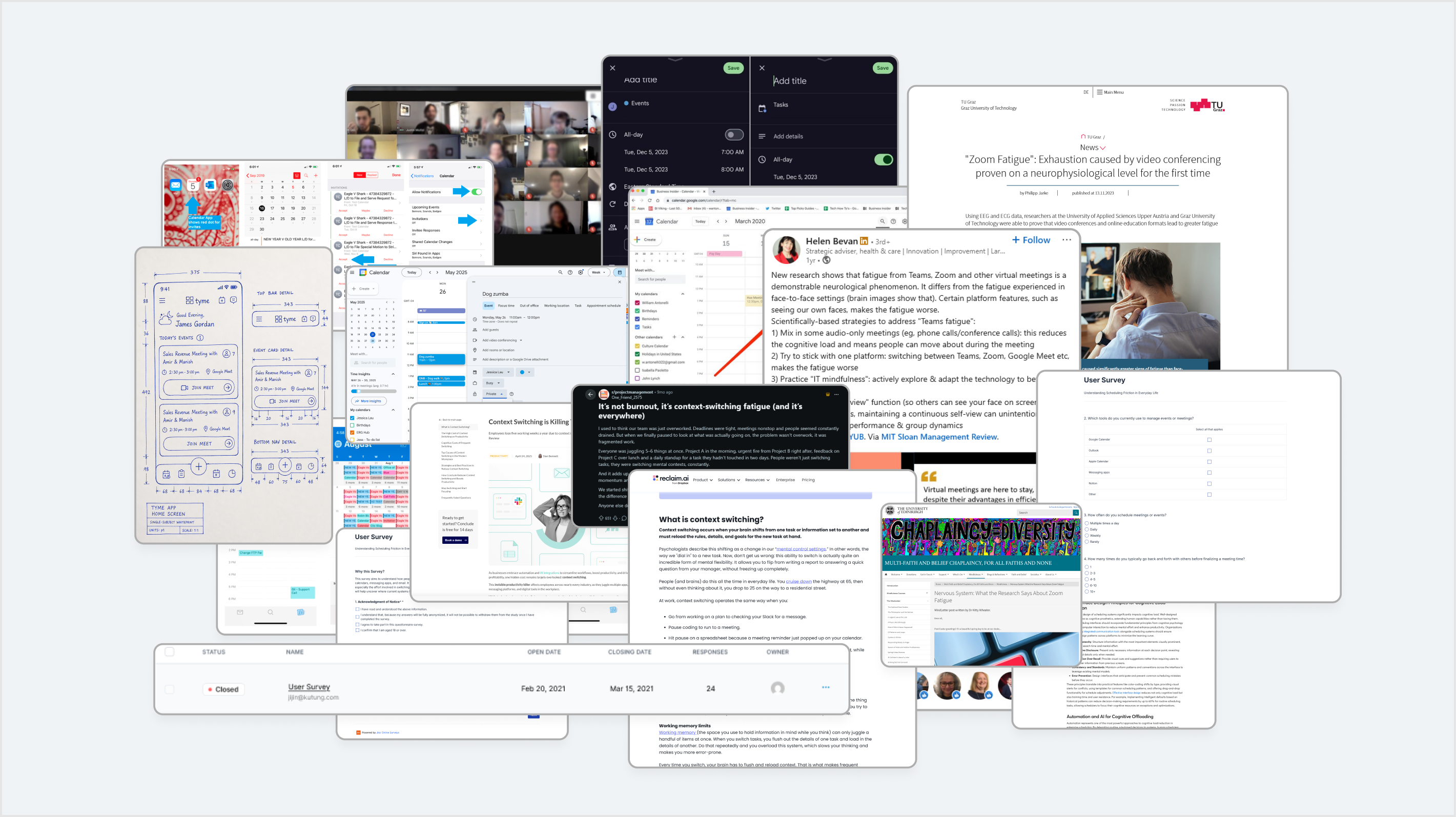
Before designing anything, we surveyed 30 people who ran their week across Google Calendar, Outlook, Zoom, and similar tools, and mapped exactly where meetings broke down: scheduling them, finding them, and joining them.
Total surveyed users: 30
Two design targets fell out of this research: remove the switching (a structure problem) and remove the dread (a feeling problem). Everything that follows is in service of one of those two.
SOLUTION
One Place. One Flow. One Overview.
I proposed the “OOO” structure as the product’s spine. Each O answers a specific failure from the research.

One Place
Every meeting from Google, Outlook, Zoom, and more lives in a single home. This targets the 78% who split their week across apps: if the meeting isn’t in Tyme, Tyme has failed.

One Flow
One way to set up a meeting, on any platform. Every tool had trained users in a different creation ritual; Tyme replaces five sets of muscle memory with one.

One Overview
One honest view of the day and of time spent in meetings, so planning no longer means comparing several tools.
From there, every screen had to pass a single test: does this remove a context rebuild, or add one?
CORE FLOWS
One mental model, across every action
Onboarding
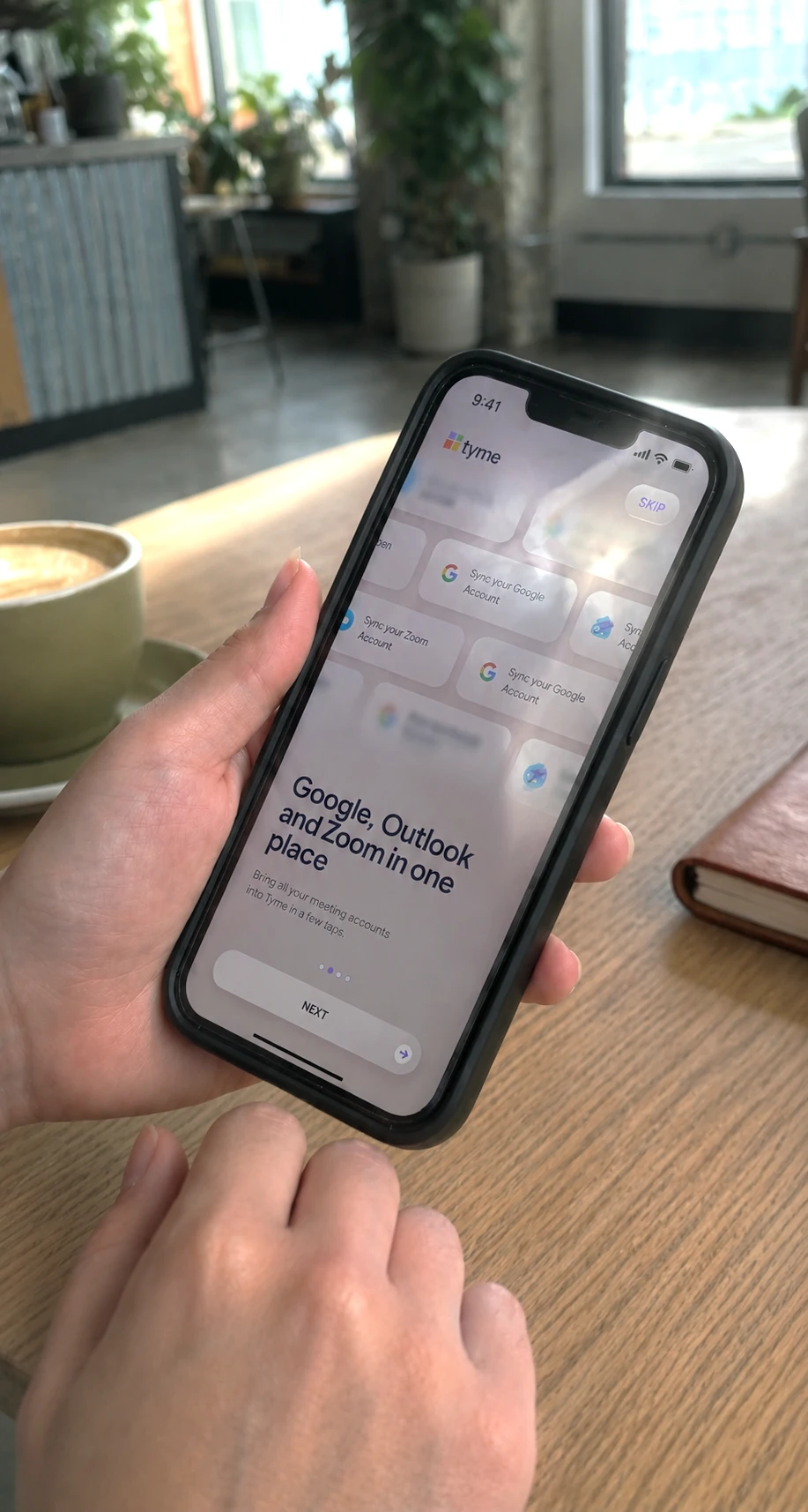
Onboarding had one job: show what Tyme does and why it’s worth it, in a few screens. There was no feature tour or setup homework. Someone arriving from five scattered tools doesn’t need a walkthrough. They need to know which pain is about to go away. We kept it short enough that the value was clear before the user’s patience ran out.
Login / Sign up
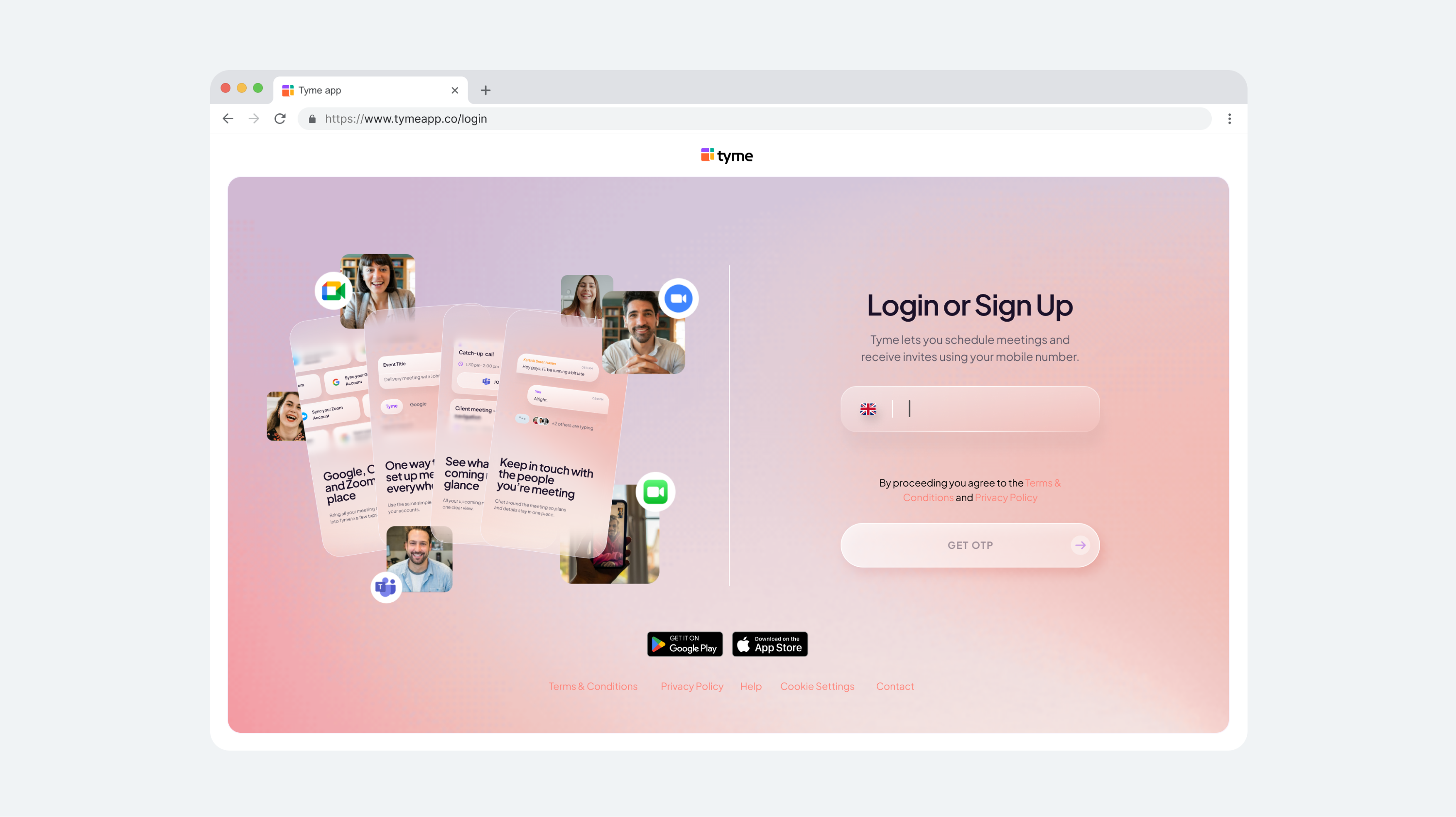
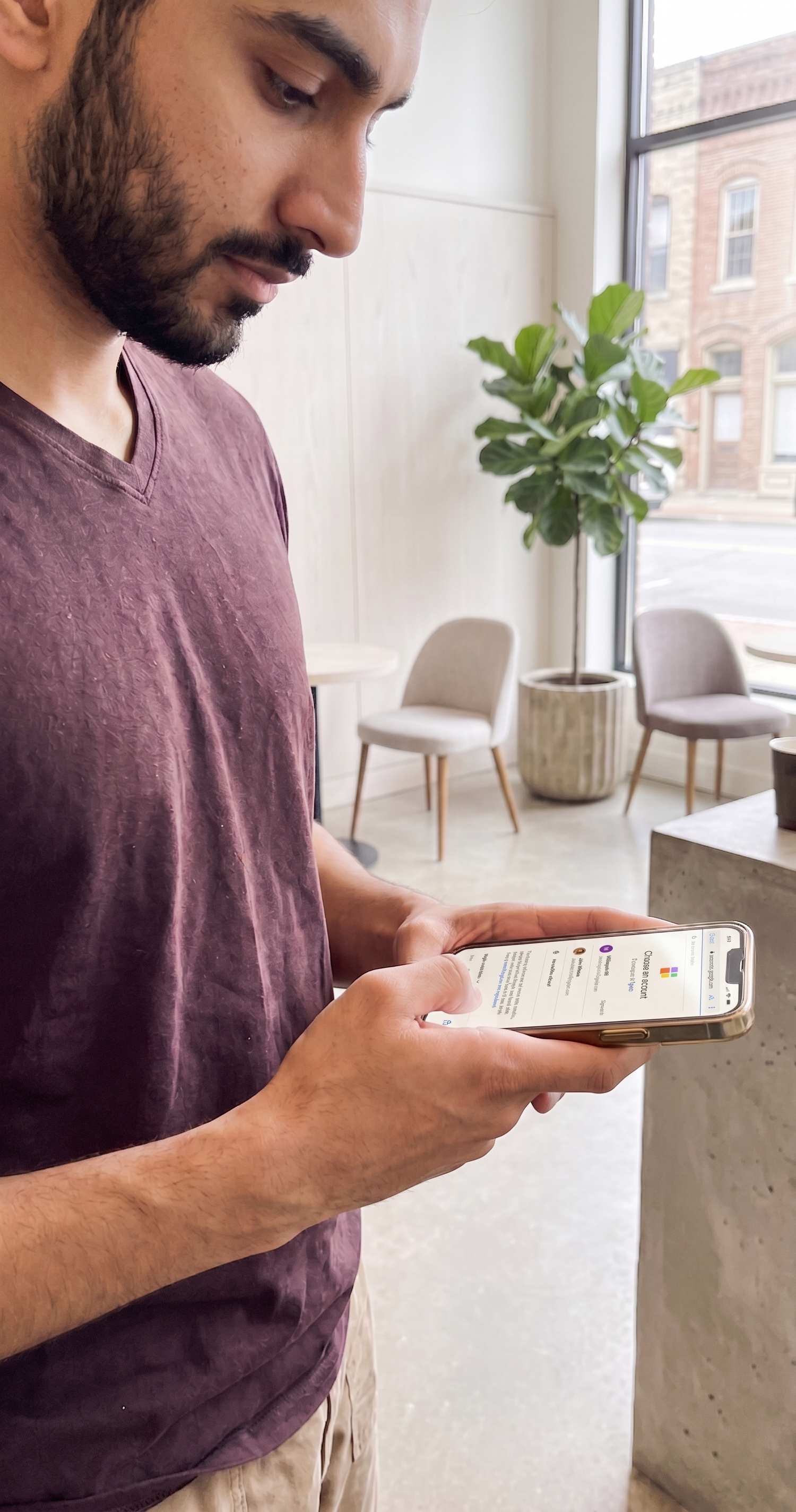
Logging in with one click wasn’t a convenience choice; it was a thematic one. A product built to remove setup friction can’t open with setup friction.
Sync Accounts
Account sync sits at the end of onboarding, before the user ever reaches the app. That placement was deliberate. It means the first calendar they see is already filled with their real meetings. A product promising “one place” can’t open on an empty screen; syncing up front made the promise visible on day one, minute one.
Creating an event
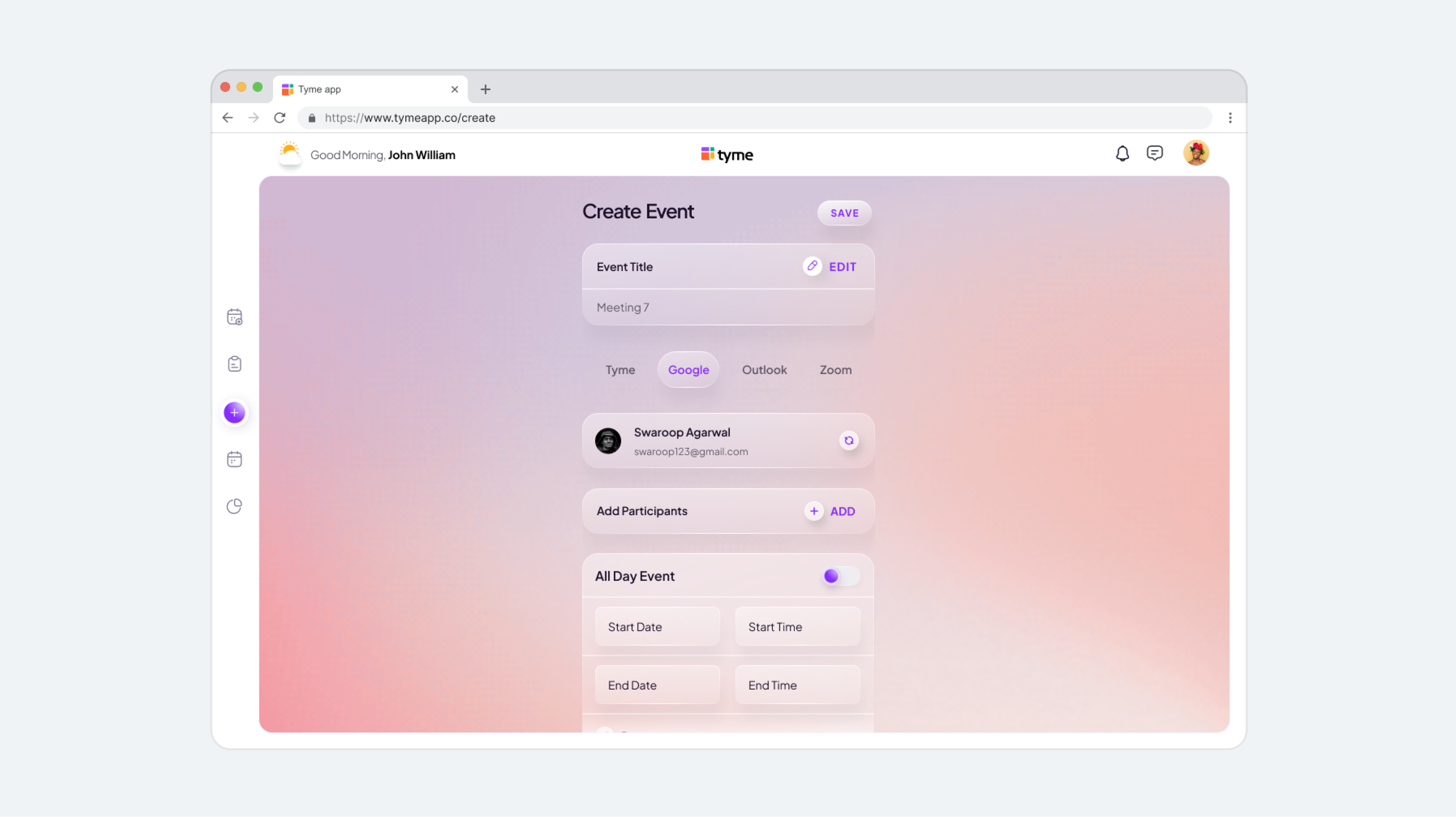
Every platform had its own creation ritual, with different fields, order, and link behavior. That’s muscle memory users rebuilt dozens of times a week. Tyme has one creation flow, and the platform is a field inside it, not a different flow. Choosing Meet versus Outlook changes one decision, not the whole experience.
Calendar View
The calendar has to answer two different questions: “what does my day look like?” and “what is this specific meeting?” It therefore supports two reading modes: glance and inspect. The hierarchy favors time and platform, because those are what the next tap depends on.
Chat threads
Meeting conversations were scattered too: a time change in email, a link in chat, an update buried in the invite. Threads attach the conversation to the event, so rescheduling talk lives where rescheduling happens. Suggesting a new time becomes a message, not a forwarded invite.
DESKTOP
More calendar, not more product
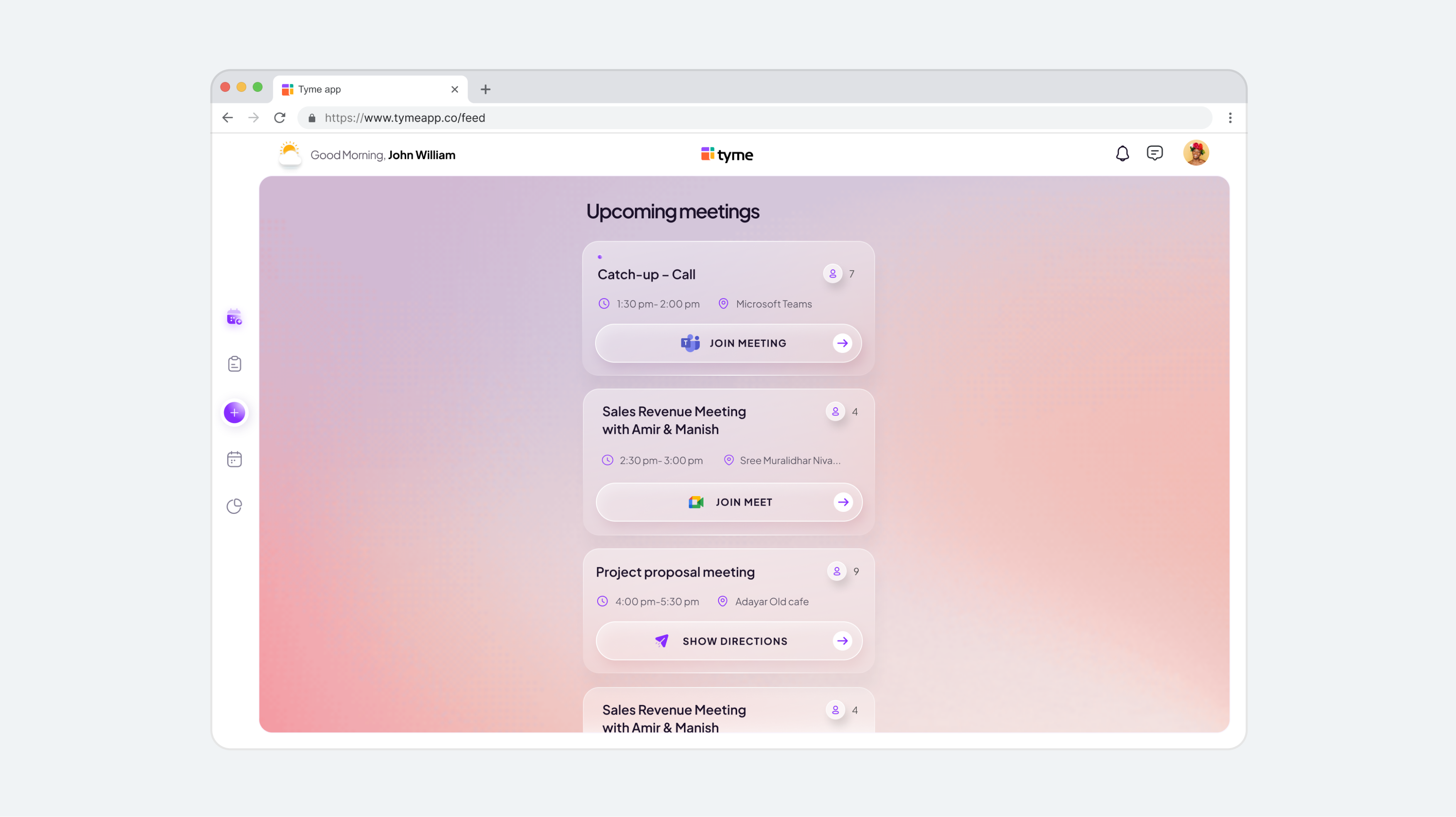
Desktop is where scope creep usually lives. More room invites more panels, modes, and features. We used the larger screen as more room for the same model: the flows learned on mobile transfer intact, with more of the day visible at once. What we refused to add mattered more than what we scaled up.
PROTOTYPING & TESTING
Testing the promise before the polish
We tested flows early, before visual detail, because the thesis lived in the flow: if users still had to rebuild context, no amount of polish would matter. Two findings changed the product.
The Join button was hiding the one answer users needed.
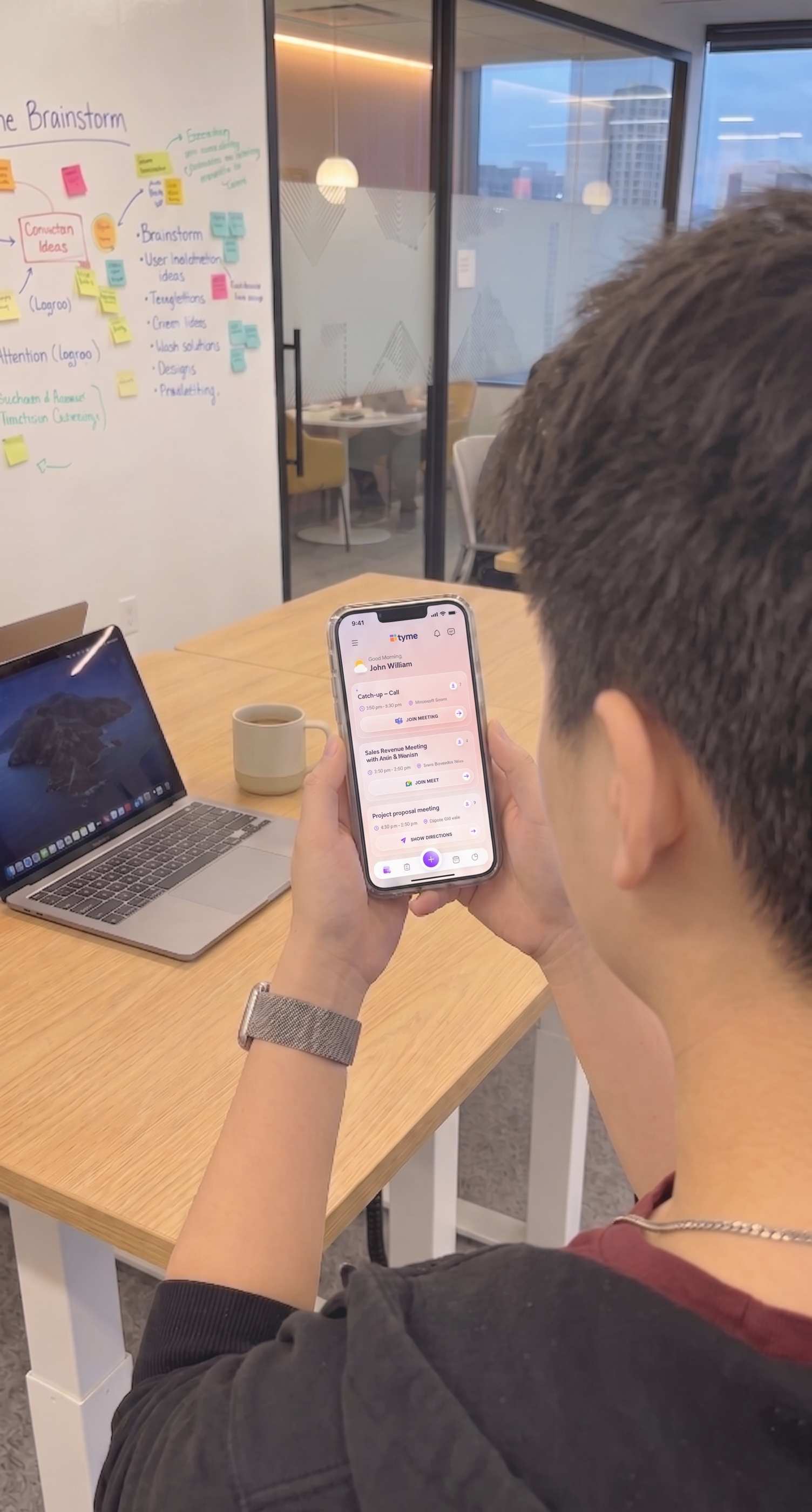
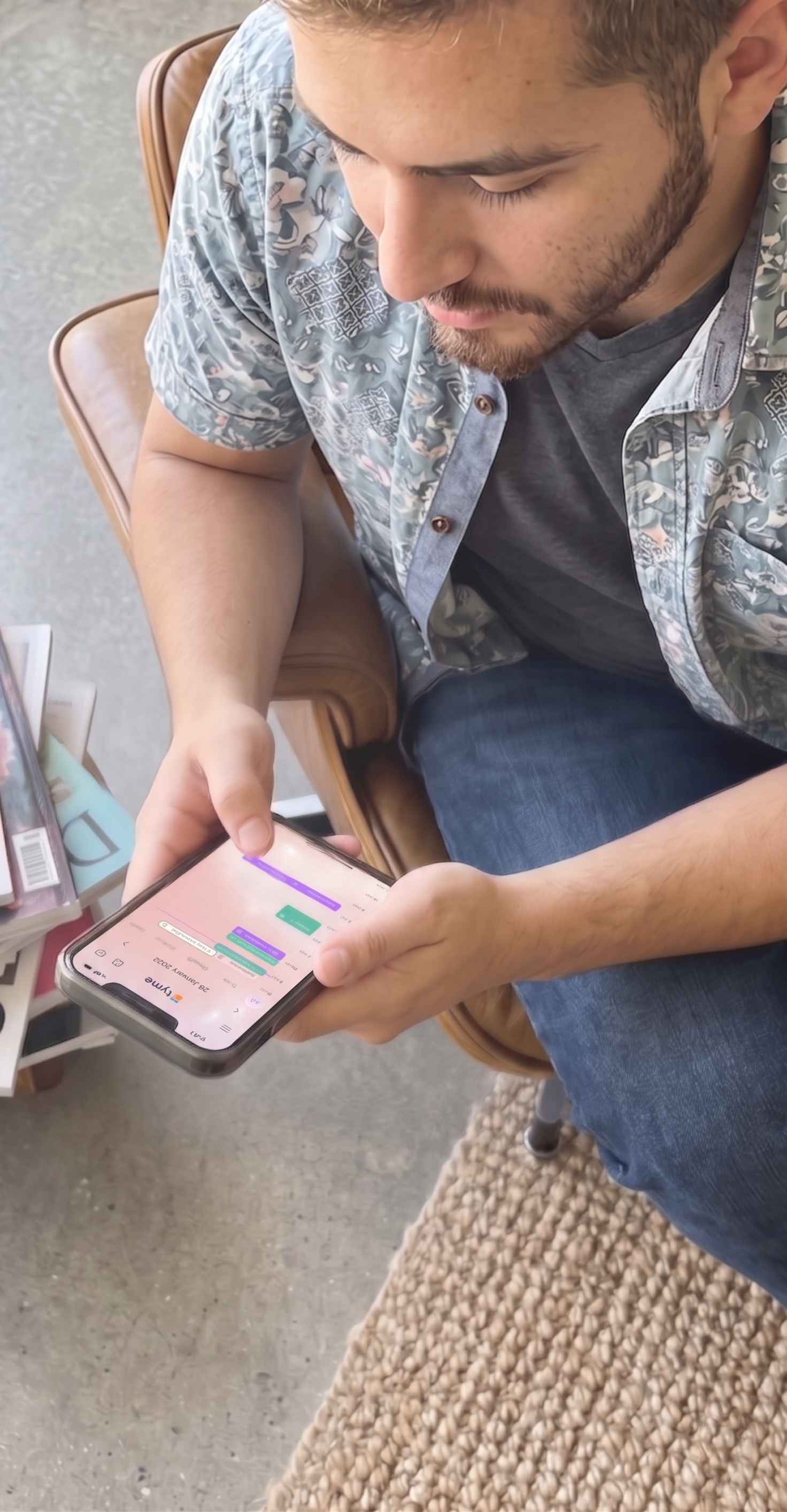
In testing, users hesitated before tapping “Join.” They knew what the button did, but not what would open. Meet? Teams? Zoom? Recall that 67% of our survey had missed meetings chasing wrong links. That hesitation was learned distrust, and a generic label was feeding it. The fix was a platform icon and a specific label: “Join on Meet.” The tap has no surprise left in it.
The meeting card was answering a question nobody asked.
A meeting card exists for one glance: what’s next, when, and where it opens. Stacked avatars answered “who exactly?” That question matters inside the meeting, not on the way to it. We replaced the stacks with a participant count. The social signal stays, and the visual hierarchy returns to time and platform.
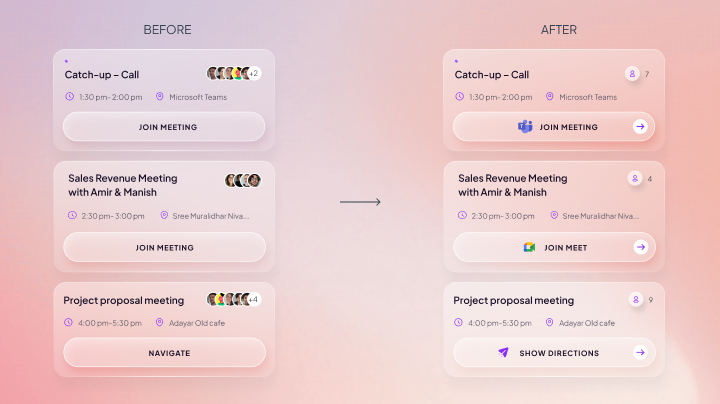
Both fixes removed information rather than adding it. That became the pattern for the rest of the project.
THE CALM LAYER
Designing how time feels, not just how it reads
A meeting tool’s default emotion is time pressure. Every glance at it is slightly anxious. Once the flows worked, I spent time on the layer that decides how checking Tyme feels.
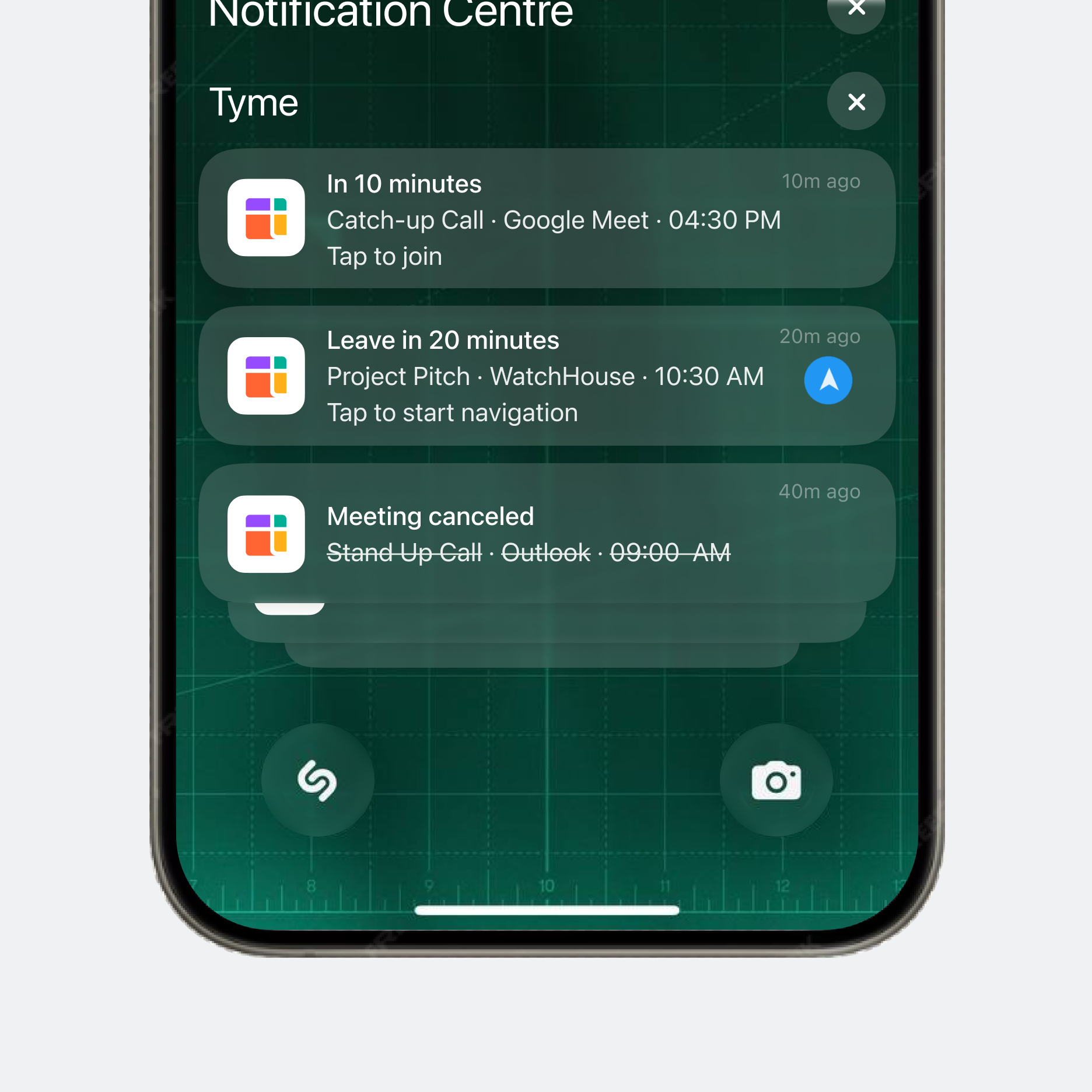
Smart notifications
Not every alert deserves the same voice. Notifications scale with urgency: an upcoming meeting nudges, a cancellation informs, a “join now” interrupts. Urgency is spent only where it’s real, so users never learn to ignore it.
Atmosphere throughout the day
The background shifts subtly with the time of day, so you absorb where you are in your day before you read a single number. Ambient time, instead of alarming time.
Dynamic time indicator
A small transition from sun to moon tracks the passage of the day. It is functionally tiny but emotionally important. It makes the interface feel like it lives inside your day, rather than staring at you from outside it.
None of these would appear in a feature comparison. Together, they’re the difference between a calendar you check compulsively and one you check calmly. I’d argue they’re part of the fatigue number below.
IMPACT
Each number, tied to the bet that earned it
We surveyed the same 30 users again after they had adopted Tyme.
Total surveyed users: 30
REFLECTION
Simplifying meant choosing what not to show
Tyme could easily have become another busy calendar app. Looking back, almost every improvement was a removal: avatar stacks became a count, a vague “Join” became one labeled action, desktop stayed a calendar instead of becoming a workspace. The hardest decisions weren’t about what to build. They were about what the next meeting could survive without.
NEXT CASE STUDY