
Data was entered again and again
Employees were managing large amounts of production data in Excel. Article details were often retyped for every order, which made the work slow and easy to get wrong.
MANUFACTURING ERP • B2B
CONTEXT
This was a 5,000+ employee leather shoe factory where production still depended on Excel sheets, printed
job cards, and people carrying updates from one department to another.
The objective of this project was to design and implement an ERP tool tailored for a leather shoe factory,
aimed at digitizing and streamlining their production and operational processes.
CONTRIBUTION
RESEARCH
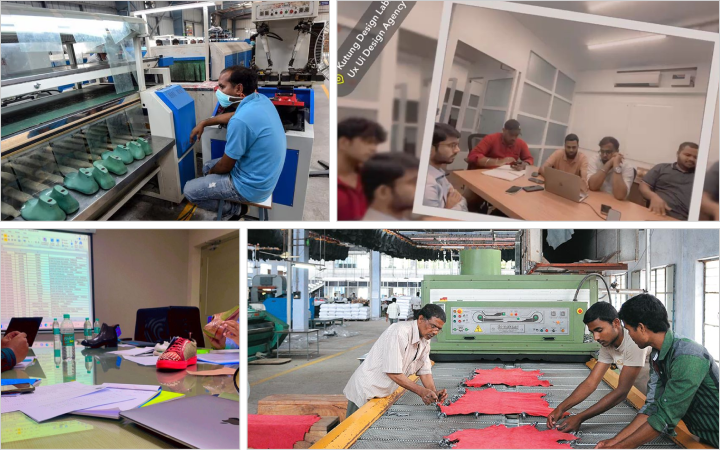
We spent 3+ weeks at the factory, sitting with different teams and following how work moved from one department to another.
A lot of the process depended on manual follow-up. Commercial would create order or article details. Inventory, purchase, or production would need the same information later. Sometimes it moved through a printout. Sometimes through an Excel sheet, a phone call, or someone reminding the next person.
Employees were managing large amounts of production data in Excel. Article details were often retyped for every order, which made the work slow and easy to get wrong.
All documents moved through printouts and shared files. Tracking missed information caused unwanted delays.
Reports, job cards, and other documents were printed regularly. This added cost and made updates harder to control once the document had moved to another team.
Many decisions depended on offline handoffs. If inventory, purchase, or production did not receive an update on time, the delay moved into the next step.
Teams struggled to track materials against the right division, order, supplier, or production need. When materials were misallocated, production could slow down.
Because information moved through physical documents and manually shared files, confidential data was harder to protect.
A single order could include more than 100 articles. Repeating article details across departments made order management slower than it needed to be.
SOLUTION DESIGN
To address these problems, we designed a comprehensive ERP tool tailored to the specific needs of the factory. The solution design included the following key modules:
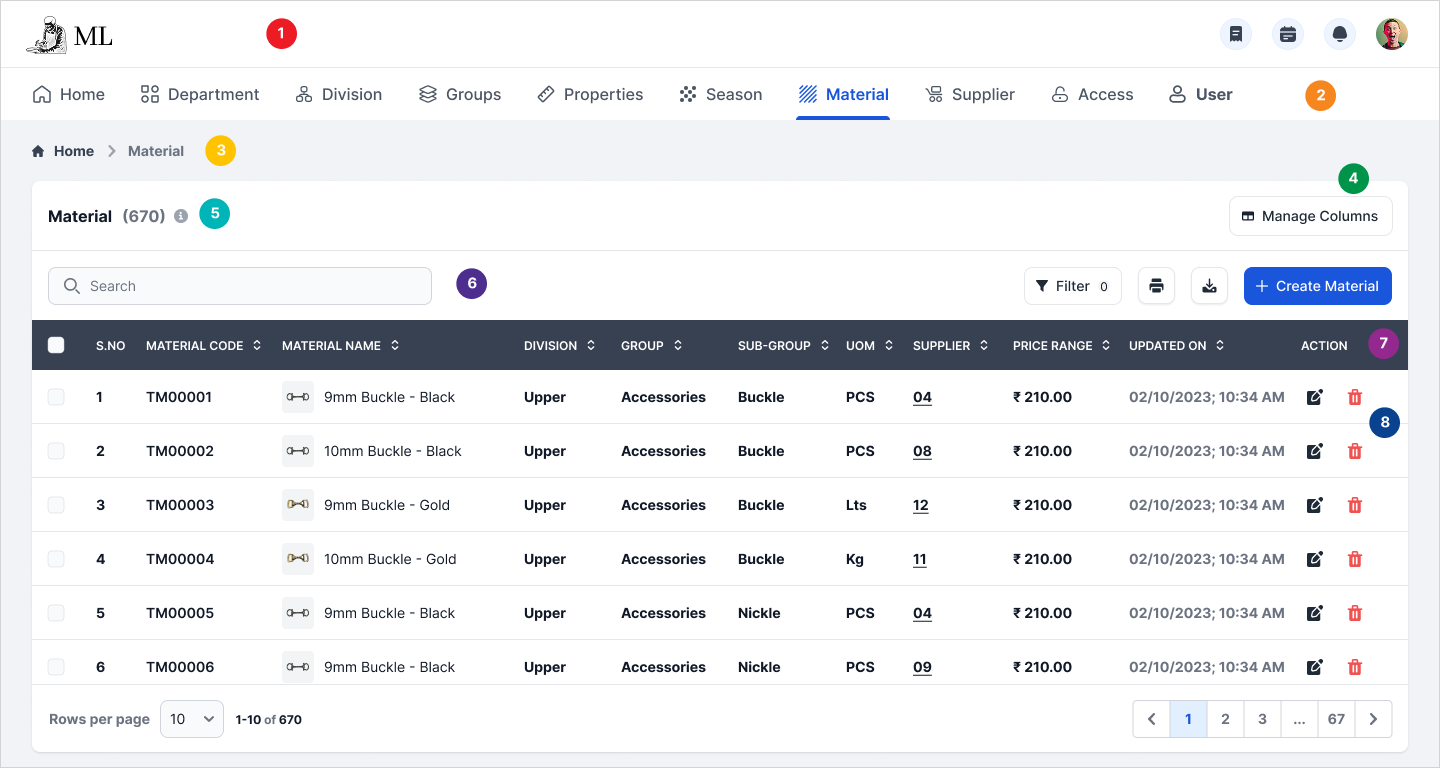
User access control, Material mapping
Create, edit or map articles into an order.
Track and manage inventory
Supervision and updates
DESIGN PROCESS
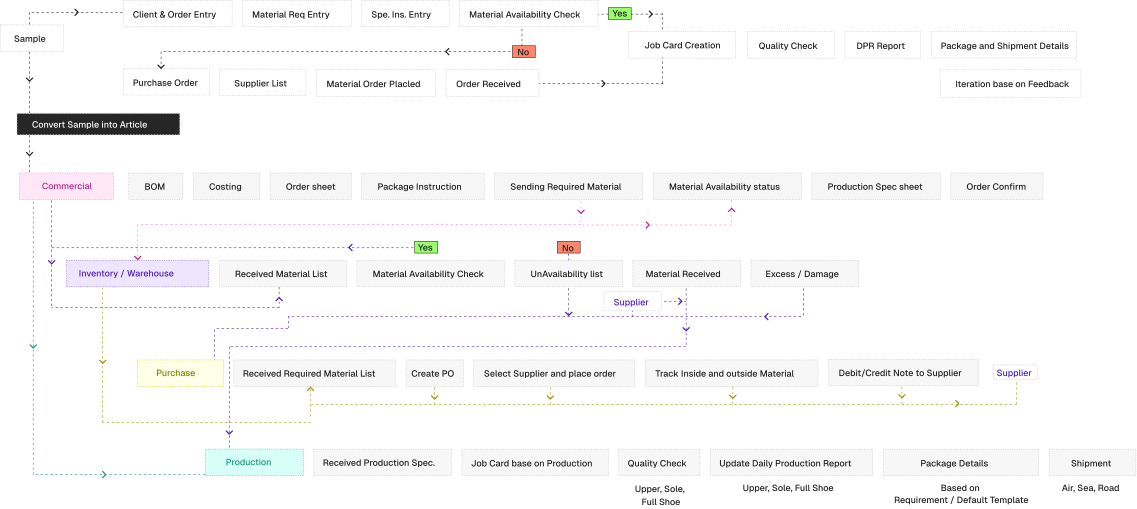
We created detailed user flows for each department to ensure seamless interaction.
Developed wireframes and prototypes for user feedback and iterative improvements.
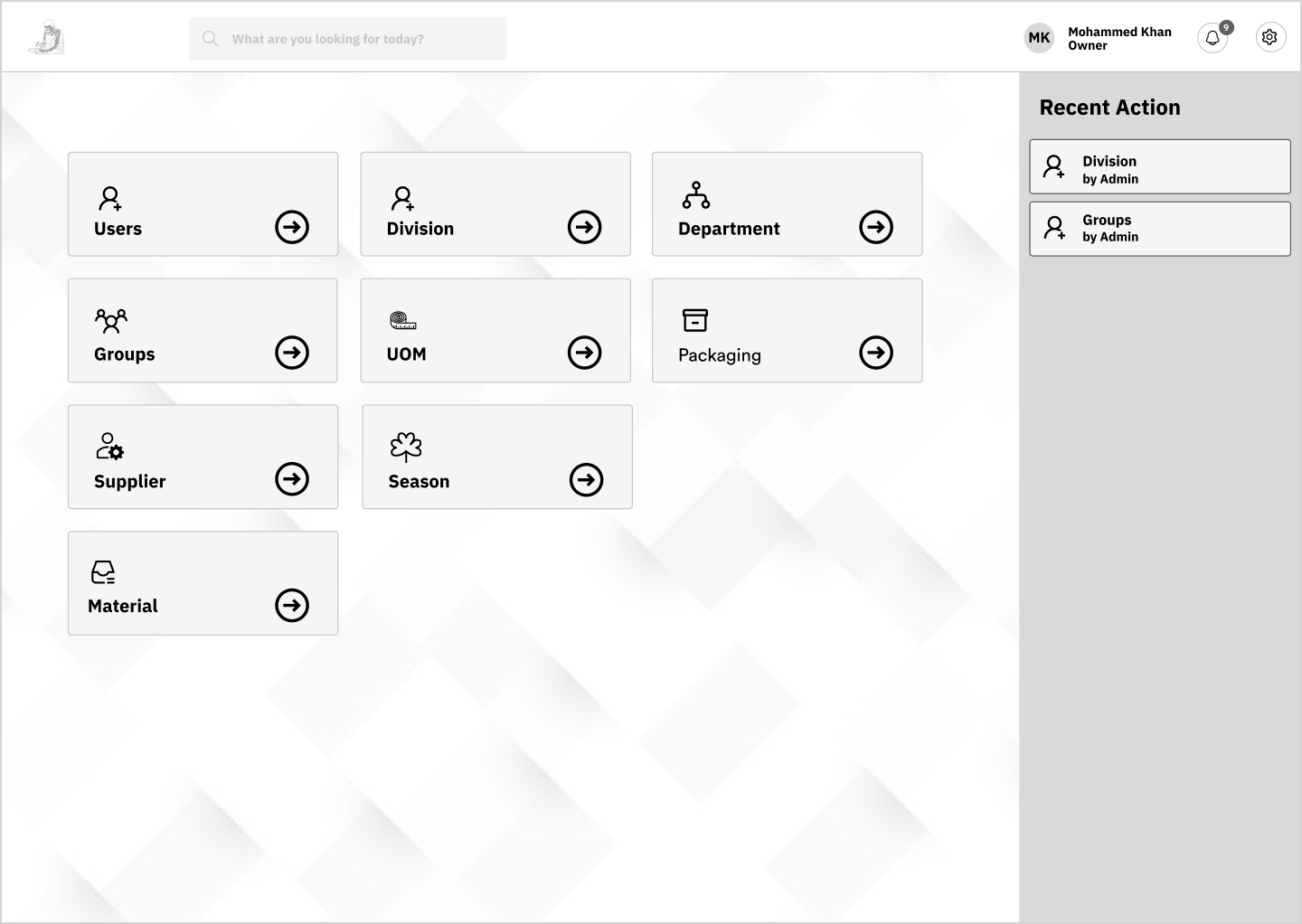
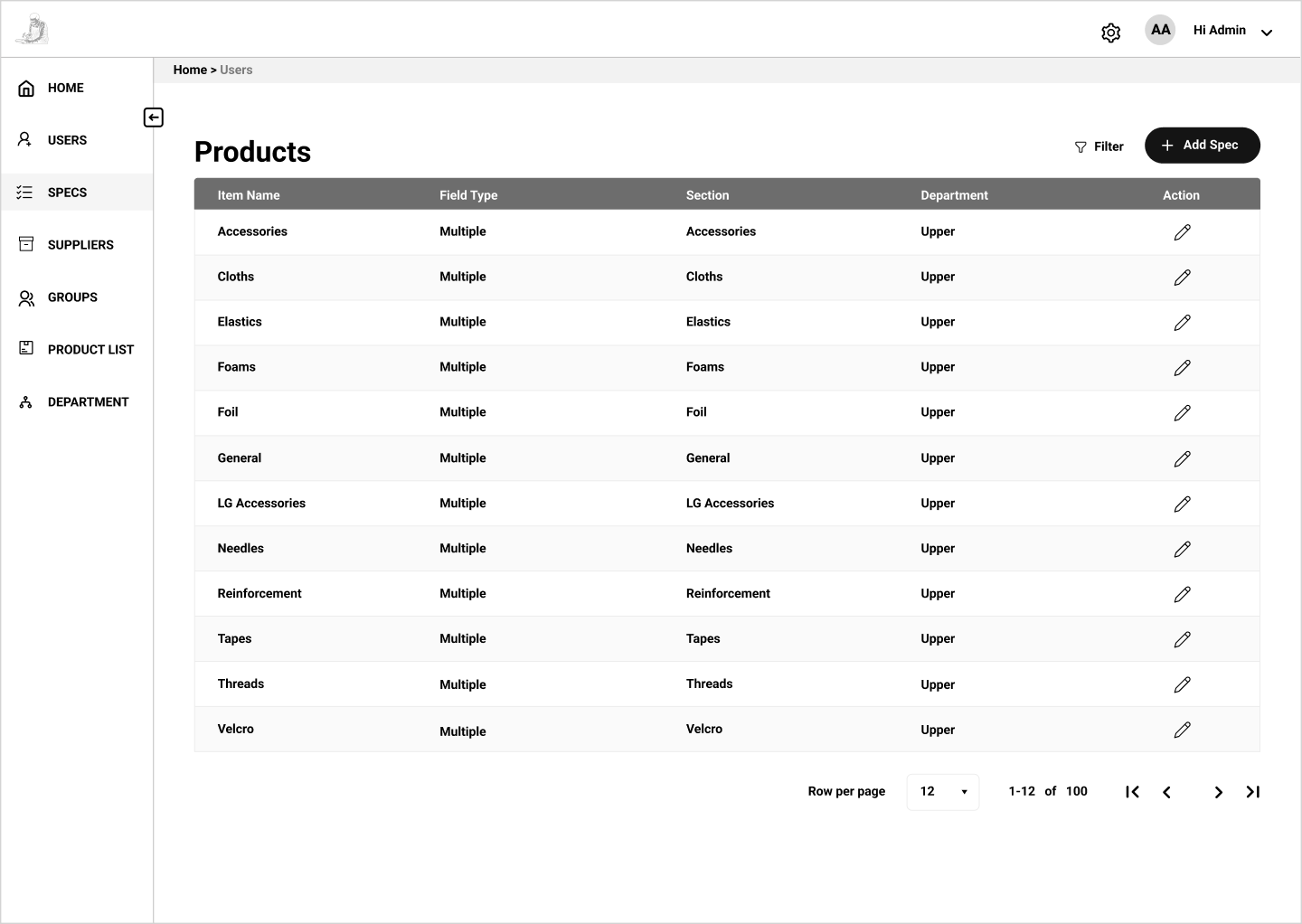
Designed a clean, intuitive UI that aligns with the user needs identified during research.
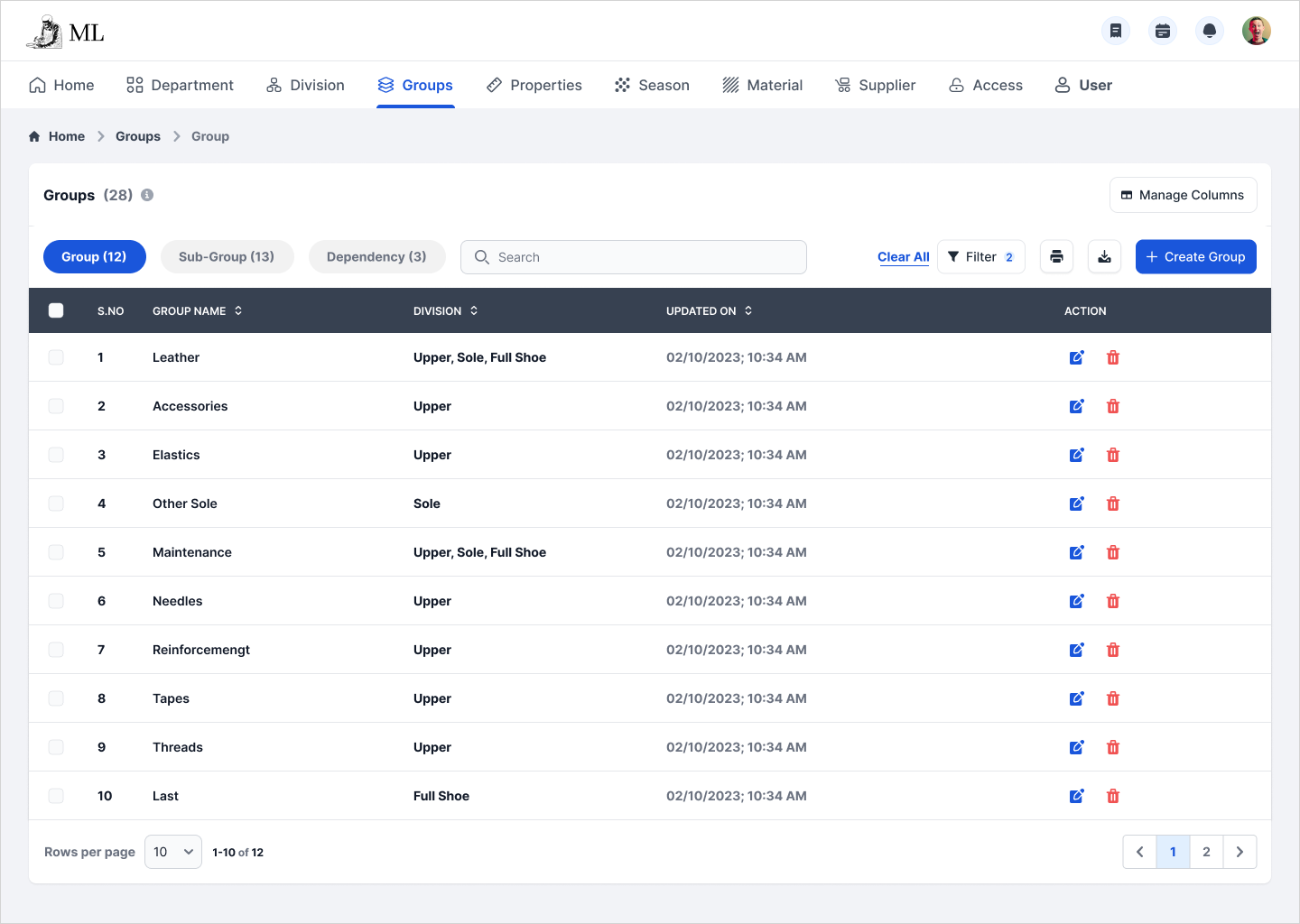
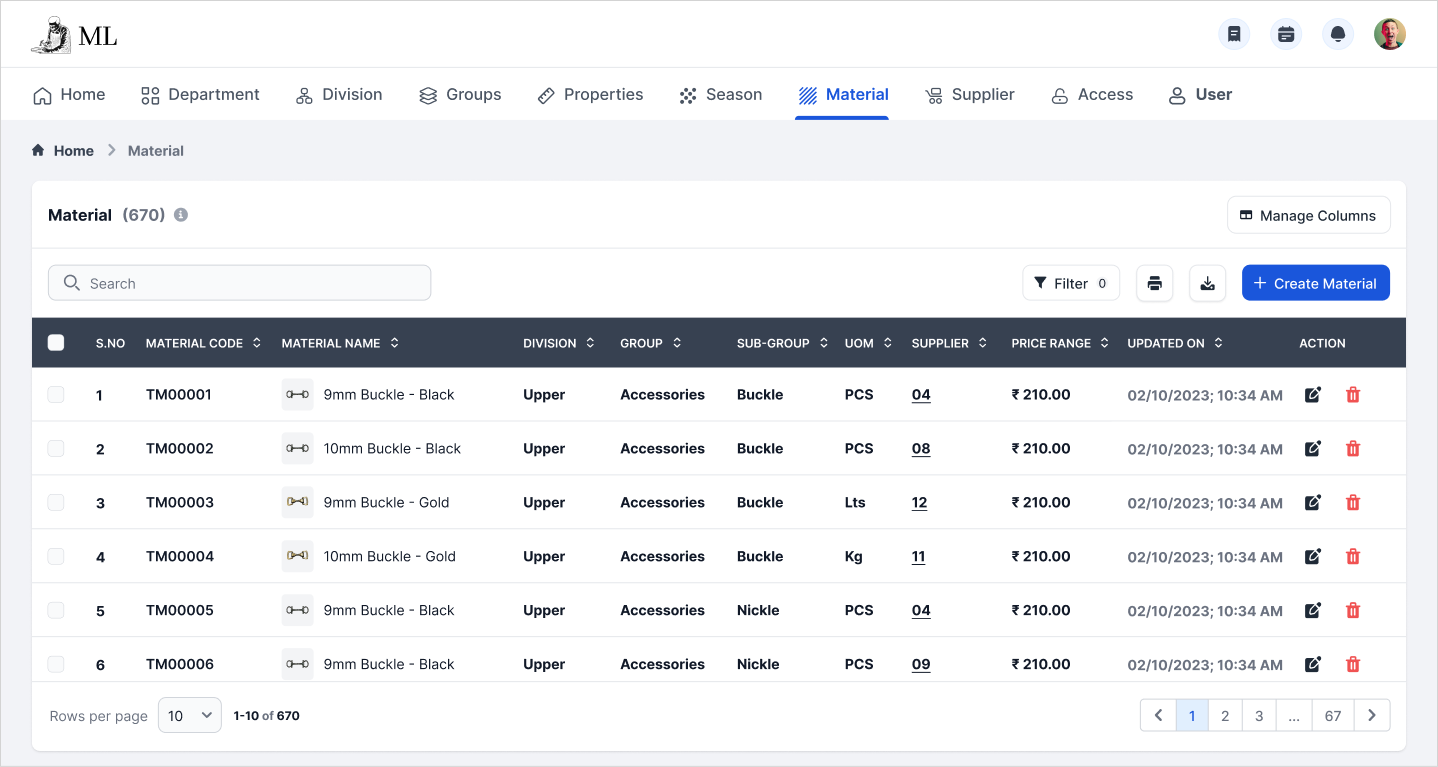
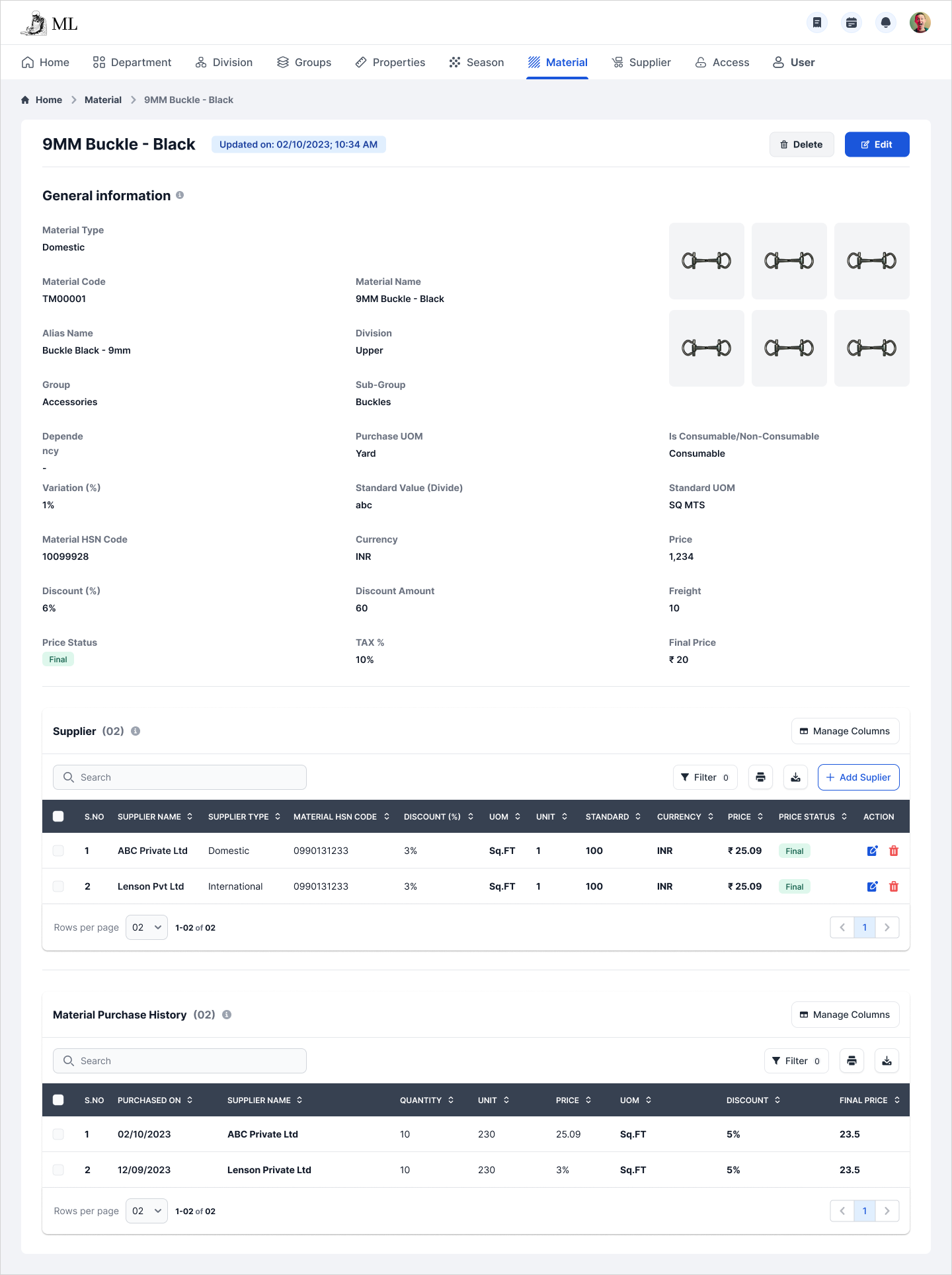
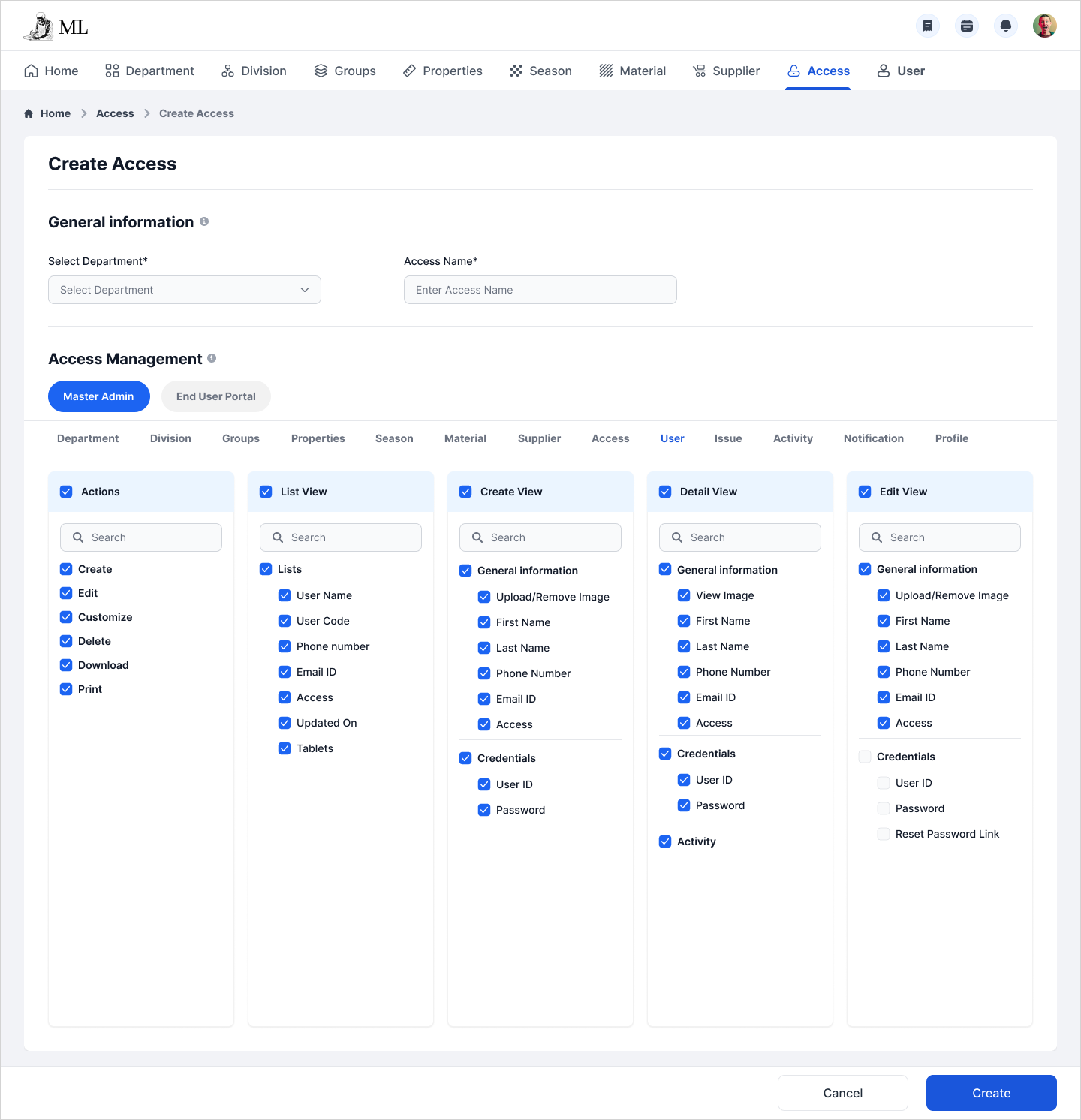
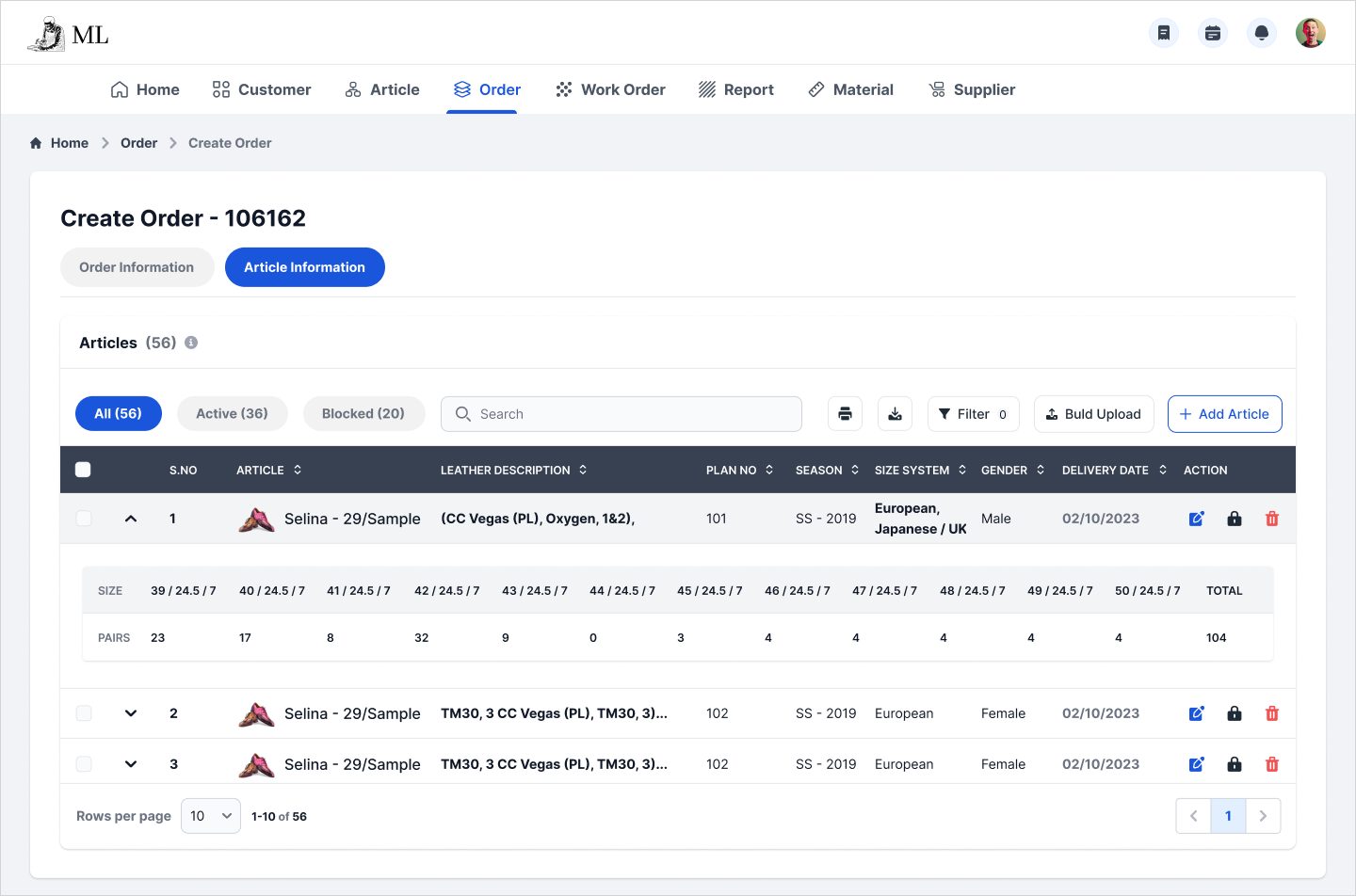
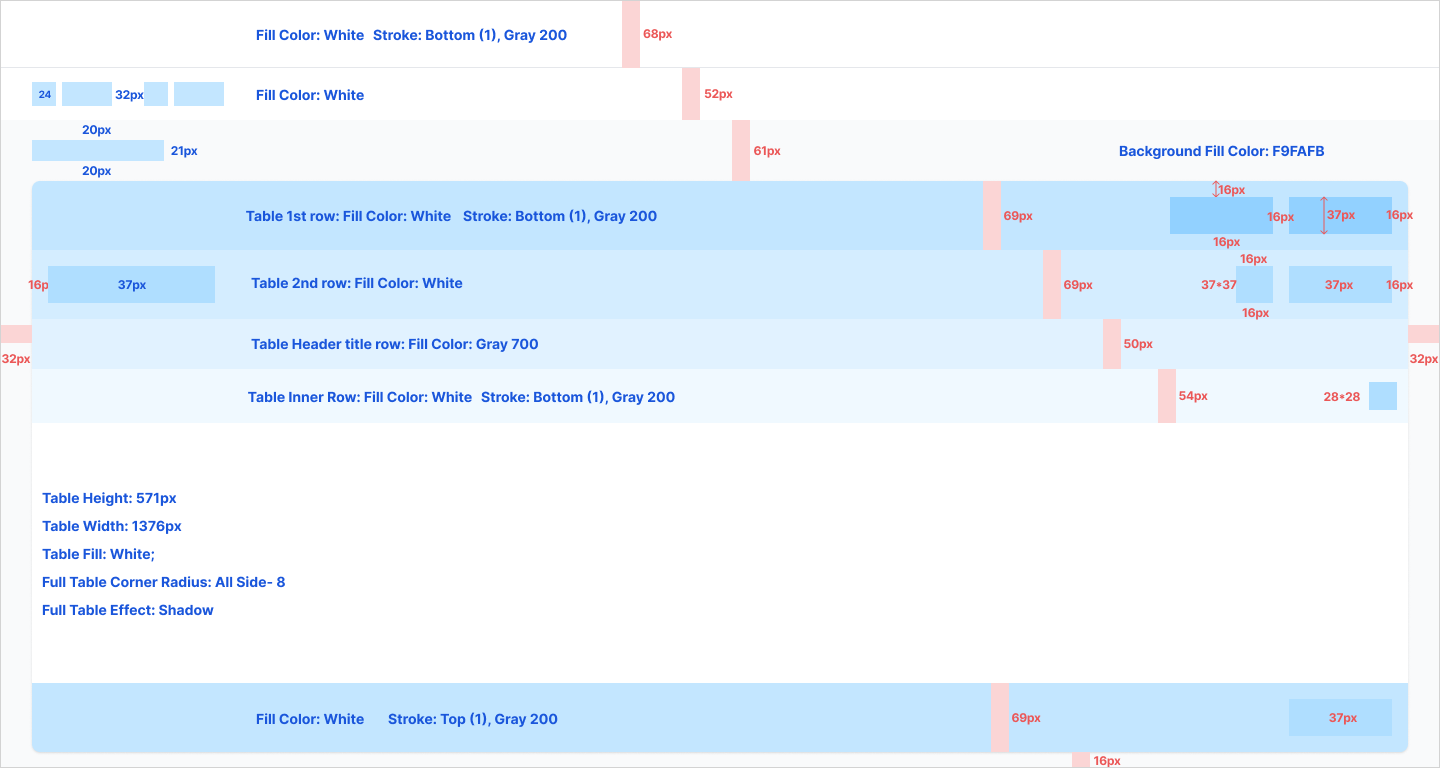
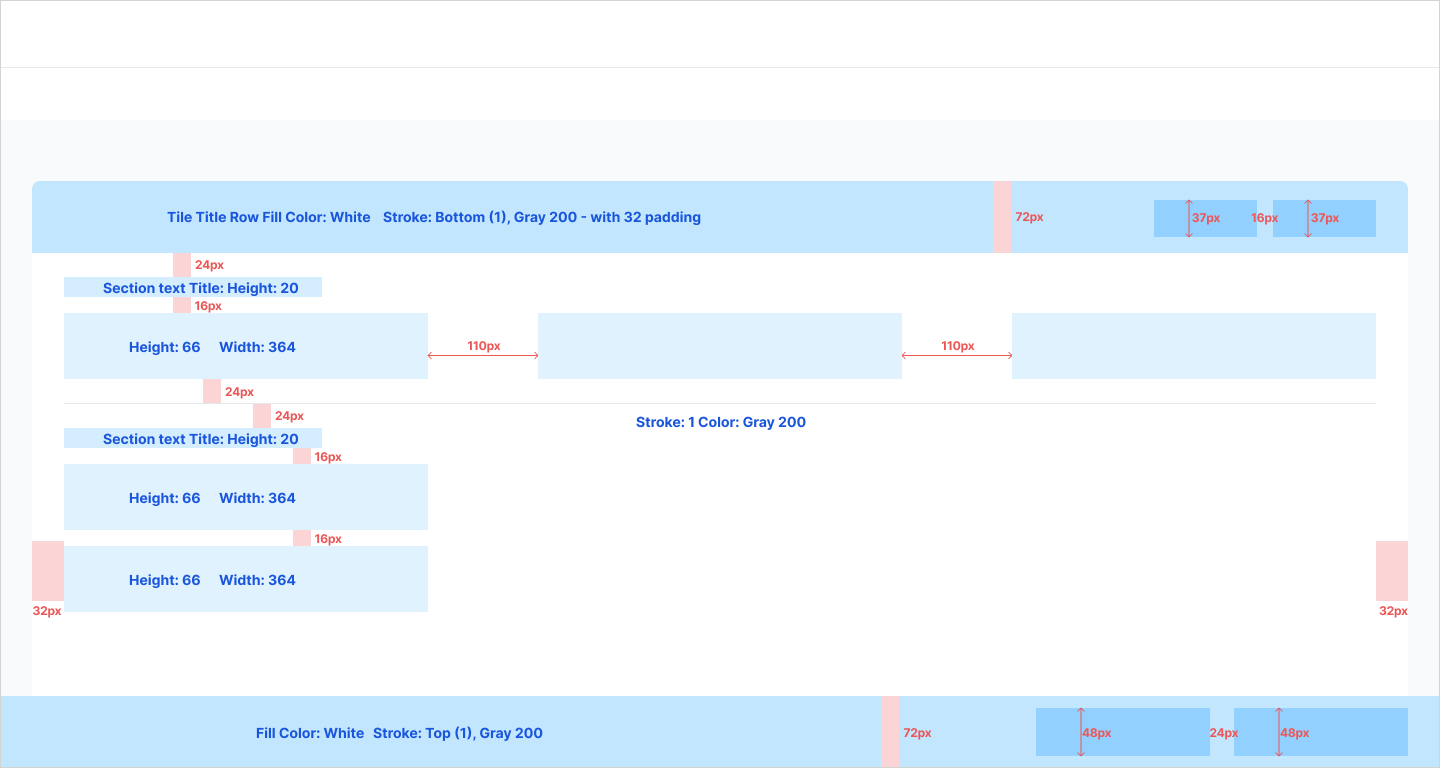
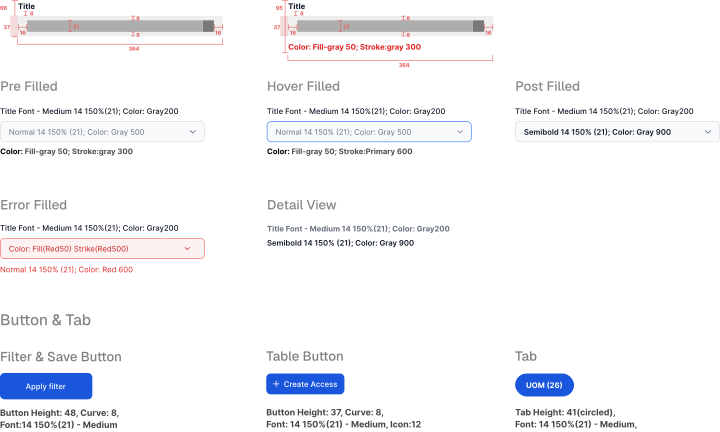
Created a proper design guidelines for size, spacing, fonts and also interaction guidelines which helped for the developers.

IMPLEMENTATION
We turned the design into a PRD so the development team could understand how each module connected.
I worked with the developers during implementation to clarify flows and edge cases.
We also trained users from different departments and collected feedback from their daily use for improvements.
KEY OUTCOMES
Article and order details could be reused across the flow instead of being entered again in every department.
Reports and job cards no longer had to depend only on printed documents moving from one team to another.
Department-level permissions made it easier to protect confidential information.
Materials could be mapped to divisions, groups, sub-groups, dependencies, and suppliers in one place.
Supervisors could update progress through tablets, reducing delays caused by offline handoffs.
Orders, articles, material requirements, and job cards stayed connected inside the system.
REFLECTION
This project taught me that enterprise UX starts with understanding how work moves. Once we understood the handoffs between commercial, inventory, purchase, and production, the screen decisions became much clearer.
NEXT CASE STUDY


